A picture dictionary for children learning two languages.

Your child looks up a word, sees a picture of what it means, and hears it spoken. For children about 4 to 12, on iPhone and iPad.

Download on the App Store
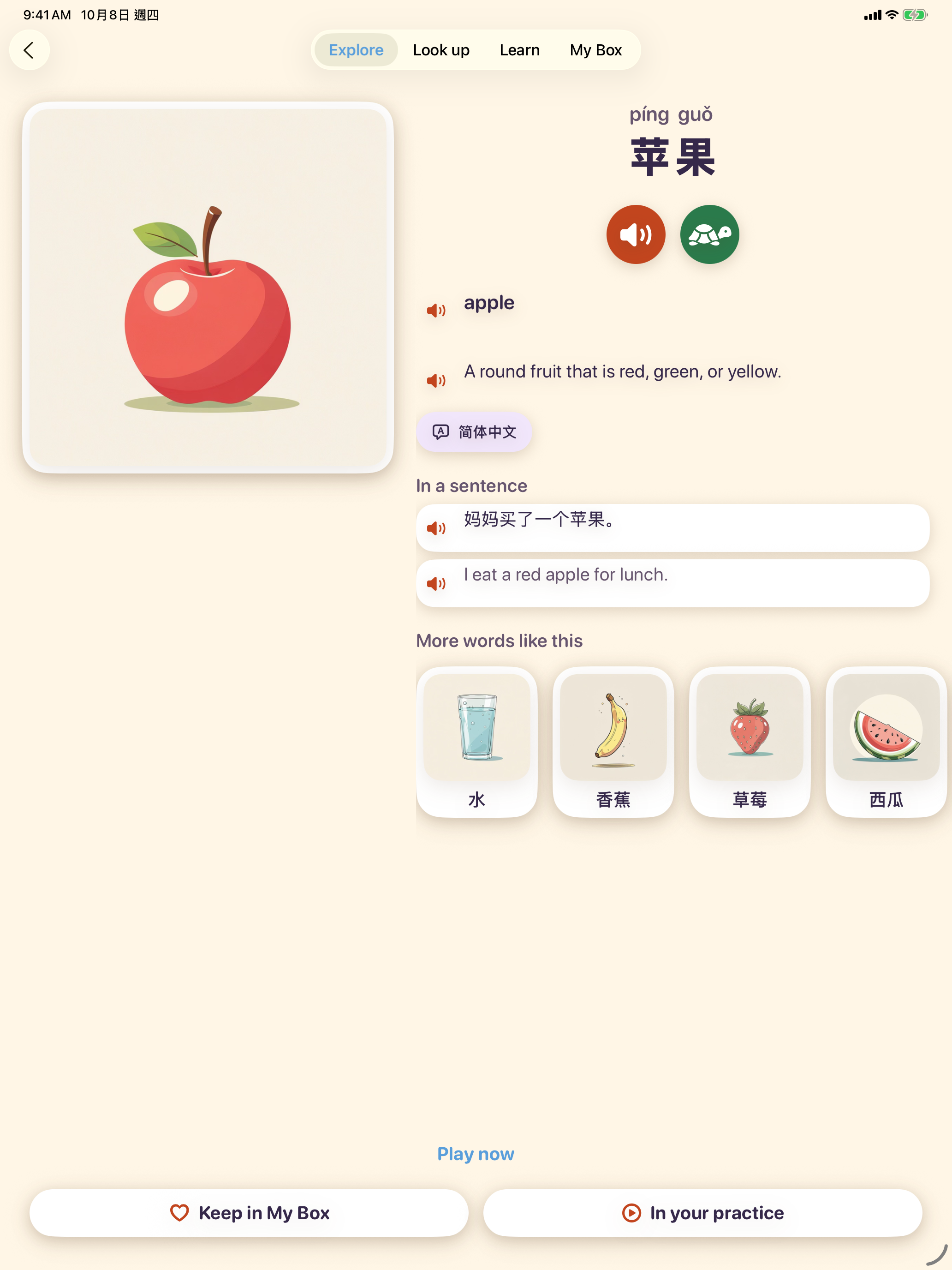
Word card on an iPad
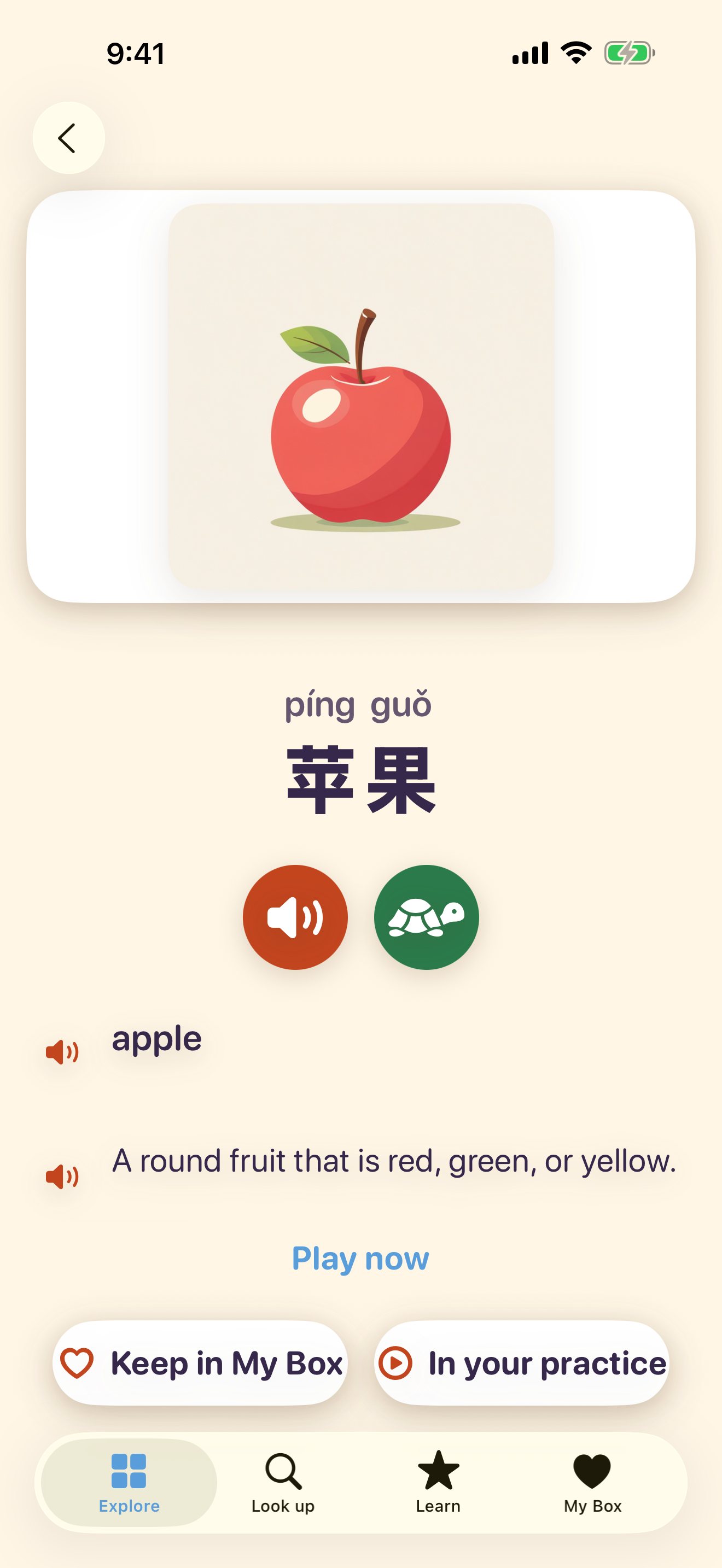
The same word card on an iPhone

Why Bilinga

Made for a family raising a child with two languages, in either direction.

  • Any pair of four languages

    English, Japanese, Simplified Chinese, and Traditional Chinese. Either one can be the language your child speaks at home, or the one they are learning. Japanese and Chinese together work the same way as a pair with English.

  • A picture for every word

    Every word in the dictionary has its own illustration, and every language shares that picture. Your child learns the meaning from the picture, not from a bare translation.

  • Hear everything

    Tap a word, its meaning, or an example sentence to hear it in that language. Speaking speed can be slower, normal, or faster. Chinese can show pinyin, Japanese can show furigana, and longer English words can show syllable colors for a young reader. For each child, Chinese can be read aloud in Mandarin or Cantonese.

  • Grows with your child

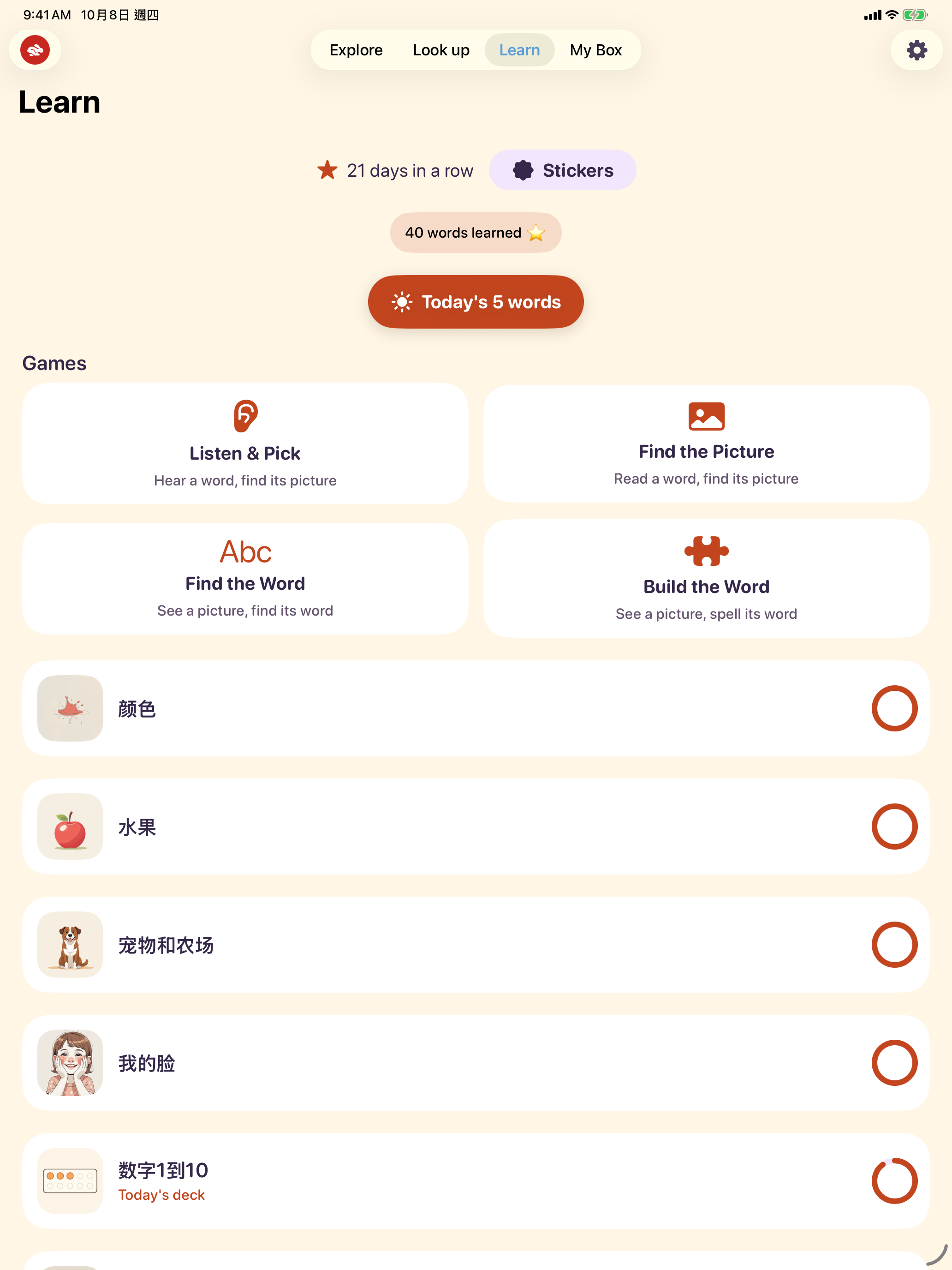
    Four games move from hearing a word, to reading it, to recalling it, to spelling it: Listen & Pick, Find the Picture, Find the Word, and Build the Word. If your child cannot read the learning language yet, the app stays with the listening games. When they can, it adds reading and spelling. They can always choose any game.

  • Safe by design

    No ads, no account, and no tracking. Bilinga collects no data. Your child’s words and progress stay on the device.

How it works

From a question, to a card, to a game.

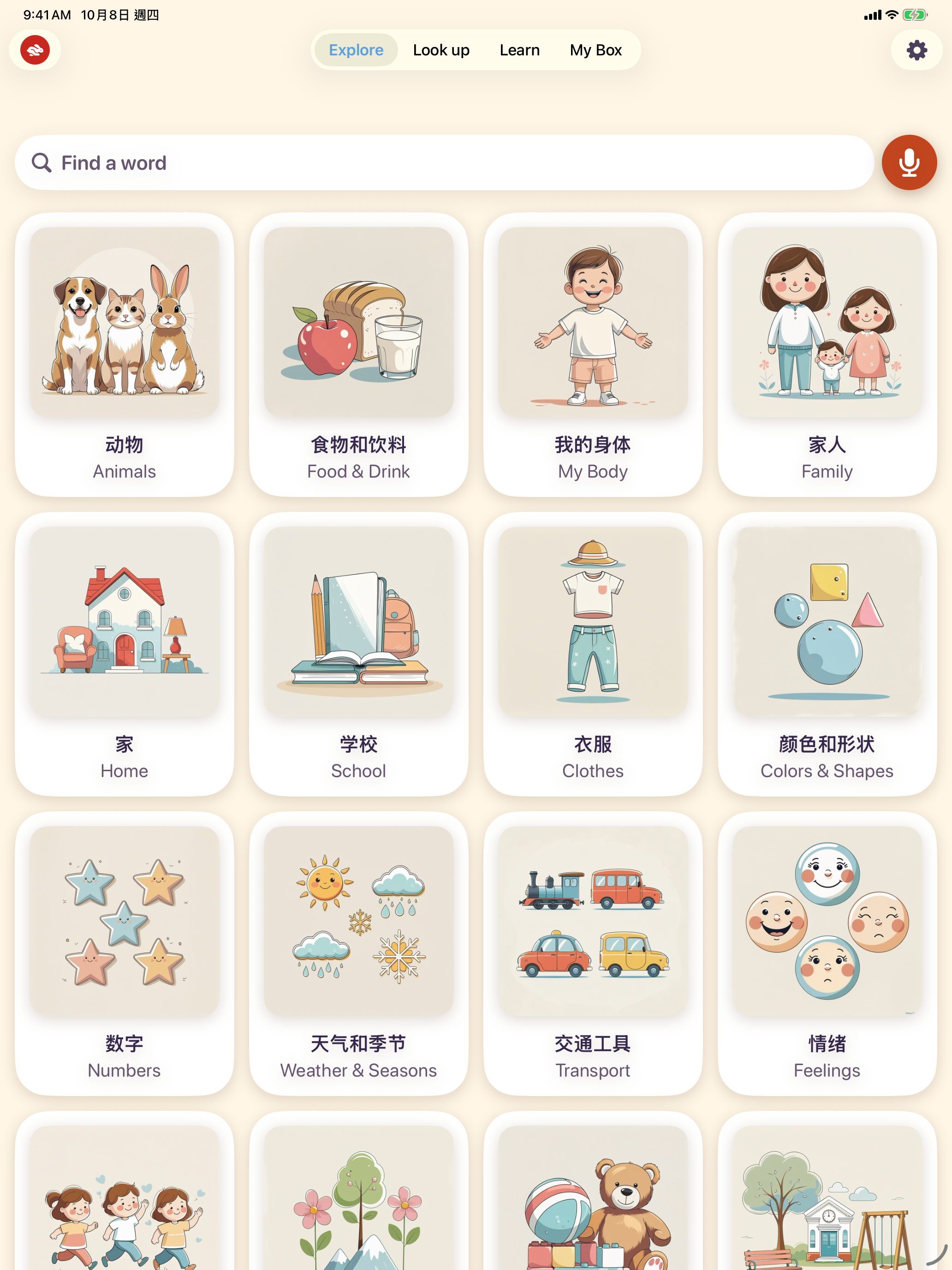
  1. Explore on an iPad, the first screen, browsing by picture
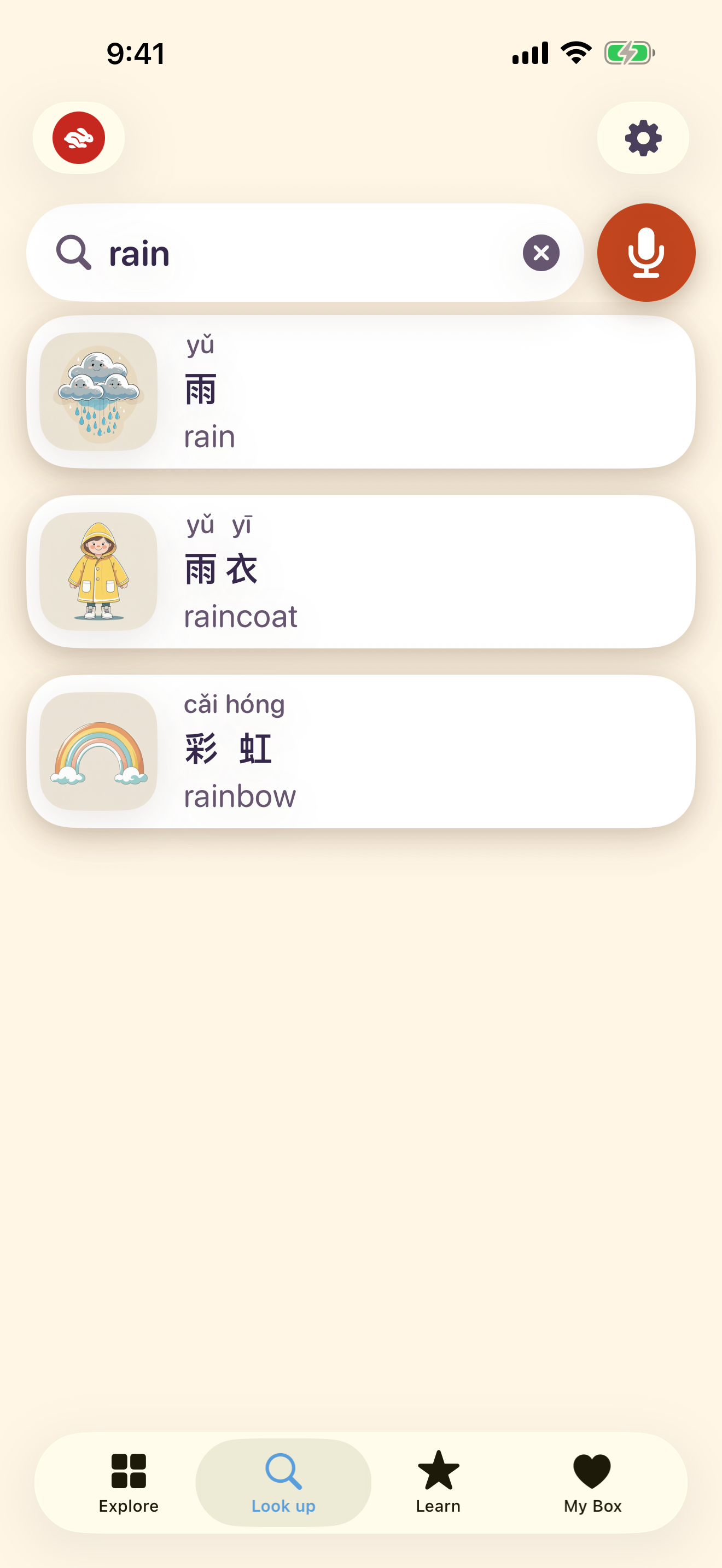
    Looking up a word on an iPhone

    Look up a word

    Type it, say it, or explore by picture.

  2. A word card on an iPad

    See it and hear it

    The word card shows the picture and both languages. Tap any text to hear it.

  3. The four games on an iPad
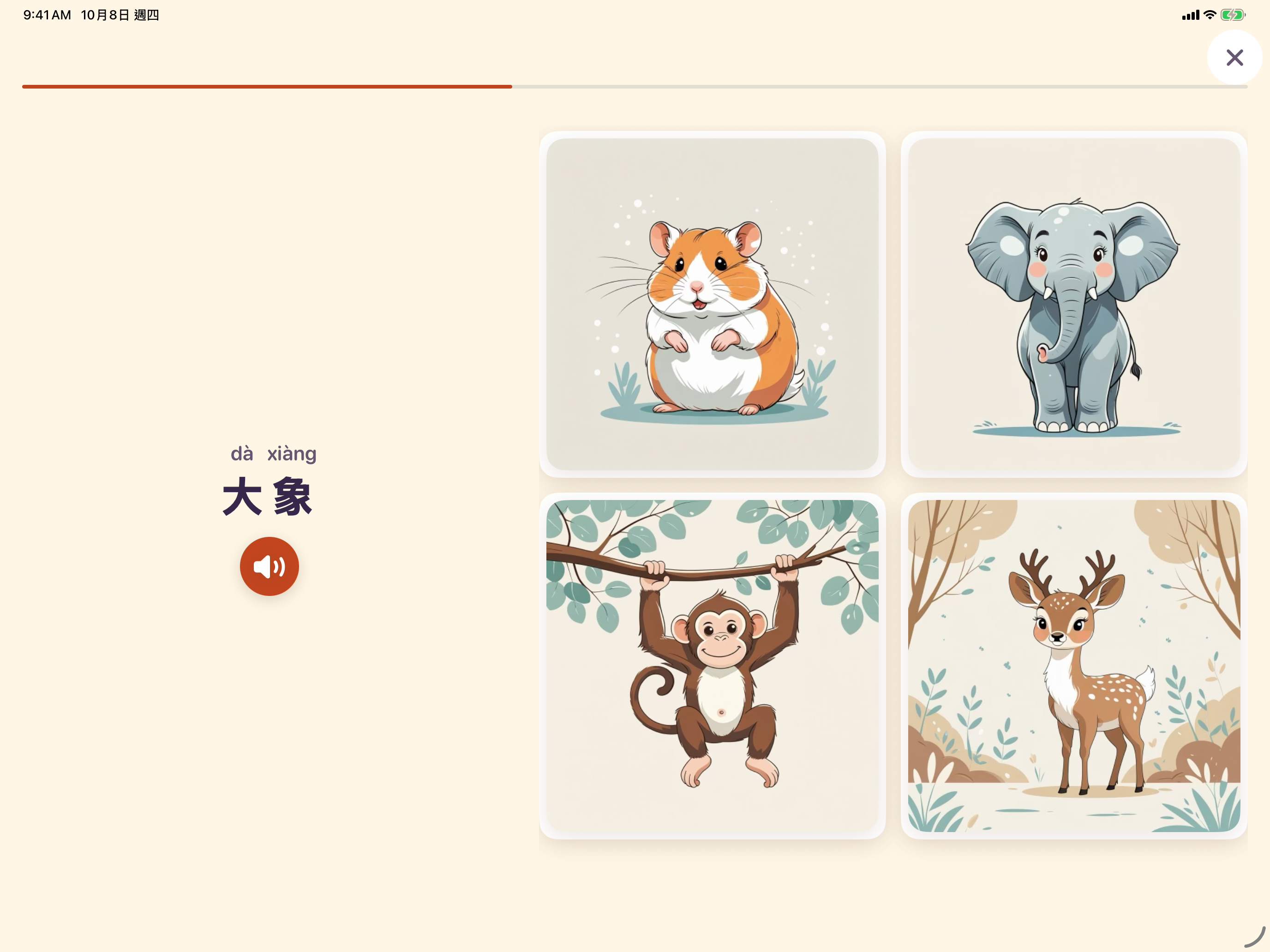
    A game round on an iPad in landscape, with the prompt beside the answers

    Play to remember it

    Learn has four games: hear it, read it, recall it, spell it. Listen & Pick, Find the Picture, Find the Word, and Build the Word. Your child can always choose any game.

Features

What is in the app.

  • Four games, from hearing a word to spelling it. The app can choose the next one, or your child can.
  • “I know this!” lets your child skip a word they already know, after a quick check.
  • Spaced review brings a word back to practice. After a correct answer, the next wait is longer.
  • Stickers and gentle days in a row. No points, no leaderboards, and no guilt.
  • Voice search: say a word instead of typing it. Listening stays on the device, and the microphone appears only when that language can be recognized there.
  • Auto-translate, on the device, for a word that is not in the dictionary yet. You prepare the language pair; Bilinga sends nothing.
  • Chinese in Mandarin or Cantonese, and a voice you choose for each language.
  • Up to four children with Bilinga Plus. Each child has their own languages, settings, and progress.
  • The dictionary works without the internet, on iPhone and iPad. On iPad it works in portrait and landscape.

For parents

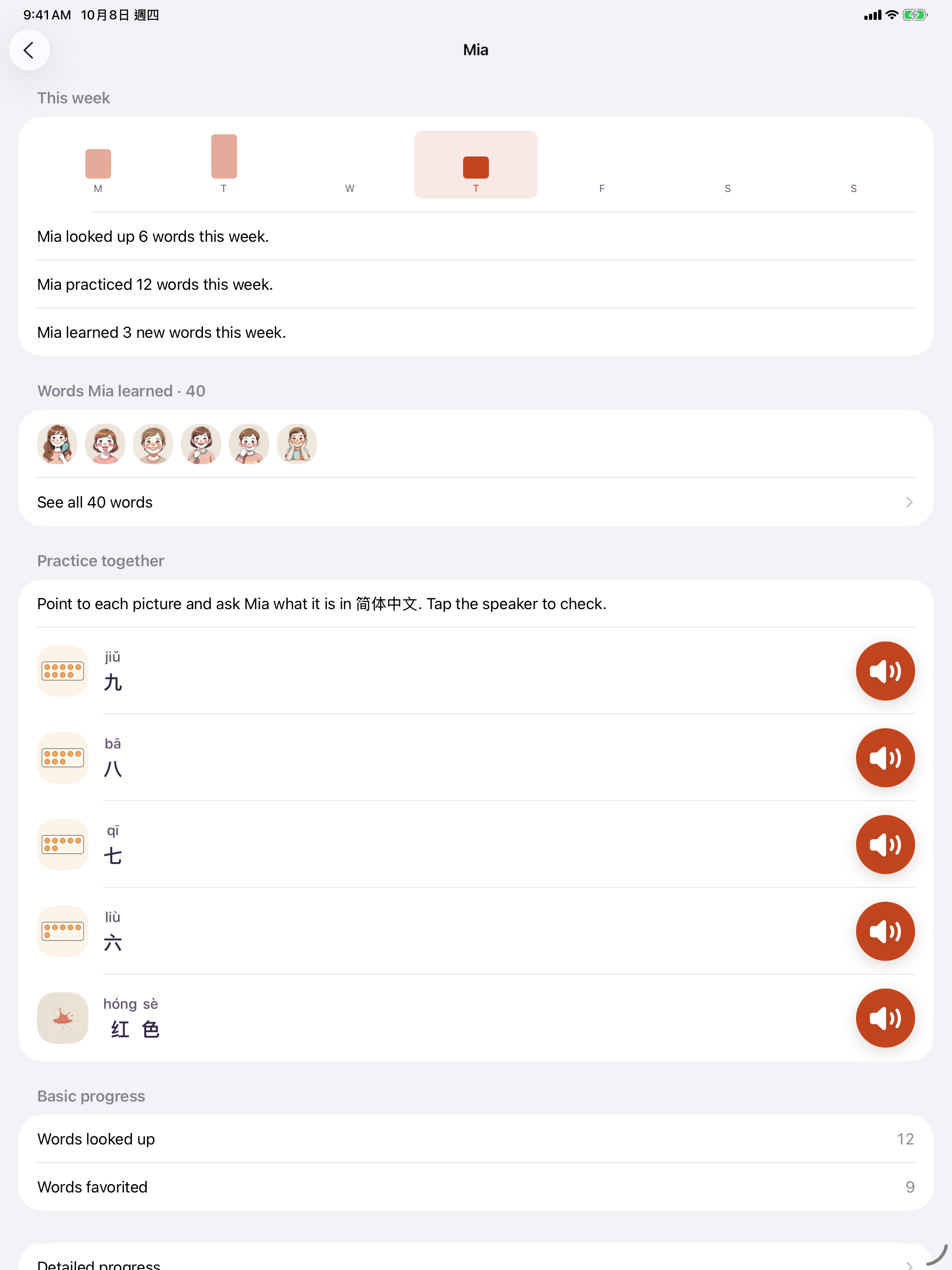
A child’s page in Parent Zone, showing This week and Words learned

Parent Zone opens only after a parental gate. Each child has a page for their languages and age, whether they can read the learning language yet, reading helpers, speaking speed, Chinese voice, a daily limit on Learn time (5, 10, or 15 minutes, or none), and their progress.

No ads, no account, and no tracking. Bilinga collects no data, and what your child does stays on the device.Read the privacy policy

Pricing

Prices are shown in the App Store in your currency.

Free, forever

  • Look up any word, by typing or by voice
  • Word cards with pictures, and tap any text to hear it
  • Mandarin or Cantonese, speaking speed, and a voice for each language
  • Reading helpers: pinyin, furigana, and syllable colors
  • Explore by picture
  • My Box, for favorites
  • Auto-translate for words not in the dictionary yet
  • One child
  • One free Learn session each week (Today’s 5 words), so your child can try the games

Bilinga Plus

  • Learn every day: the four games, decks, and Today’s 5 words
  • Practice this word, for any word your child looks up
  • Spaced review
  • “I know this!”
  • Stickers and days in a row
  • Detailed progress for you
  • Up to four children

Monthly; yearly, with a 7-day free trial; or Bilinga Plus Lifetime, a one-time purchase that never renews. One purchase can be shared with the buyer’s family through Apple’s Family Sharing.

Questions parents ask

Which ages?

Children about 4 to 12. You choose an age band — 4–6, 7–9, or 10–12 — and that shapes which words and decks fit. Children who are not reading yet can browse by picture and listen. The dictionary is designed most fully around ages 7 to 9, and it keeps going through about 12.

Which languages?

English, Japanese, Simplified Chinese, and Traditional Chinese, in any direction. The home language and the learning language have to be different. A Japanese and Chinese pair is as complete as a pair with English.

Can Chinese be read in Cantonese?

Yes. For each child, Chinese can be spoken in Mandarin or Cantonese. Cantonese reads the same written Chinese aloud, whether it is Simplified or Traditional. If Traditional Chinese is one of that child’s languages, setup asks which voice to use. The choice is also on every child’s page in Parent Zone. With Cantonese, pinyin is hidden, because pinyin describes Mandarin sounds.

My child can’t read yet. Can they still use it?

Yes. You say whether they can read the learning language yet. If not, they can find words by picture or by saying them, and the games the app picks can be answered by listening. All four games stay available if they want to try one.

Can my child choose the games?

Yes. Learn shows all four games, at every age: Listen & Pick, Find the Picture, Find the Word, and Build the Word. Your child can open any of them. When the app chooses, it follows whether they can read yet: hear it, then read it, then recall it, then spell it. That choice never hides a game.

Does it need the internet?

Not for everyday use. Looking up words, pictures, voices, and the games work with no connection. Buying or restoring a purchase needs the internet at that moment. Auto-translate stays on the device. The first time you prepare a language pair, iOS downloads language files from Apple. Bilinga does not send the words.

Is it safe for my child?

No ads, no account, and no tracking. Bilinga collects no data. Words, favorites, and progress stay on the device. Parent Zone and purchases sit behind a parental gate.

What’s free?

Looking up words, word cards, pictures, voices, reading helpers, Explore, My Box, auto-translate, and one child. Once a week, one Learn session (Today’s 5 words) is free, so your child can try the games. Playing every day, more than one child, and the detailed progress report are part of Bilinga Plus.

How do I cancel?

Apple sells and bills the subscription. Bilinga never sees your payment details. In Parent Zone, Manage subscription is where you change or cancel it. Restoring a purchase is there too.

How many children can use it?

One child on the free plan. Bilinga Plus, including the one-time Bilinga Plus Lifetime purchase, allows up to four. Each child has their own languages, settings, and progress. There is no shared account.

Can Bilinga’s menus be in a different language from my iPad?

Yes. The menus follow your iPad’s language. If the iPad uses a language Bilinga doesn’t offer, the menus are in English. This is separate from the two languages each child learns, which you set in Parent Zone.

  1. Language appears only when the iPad lists more than one language. Add the one you want in Settings › General › Language & Region › Add Language, and keep your current language as the primary so nothing else on the device changes.
  2. Open Settings › Apps › Bilinga › Language and choose it. Japanese menus on an English iPad are one example.


Try it with your child

Bilinga is on the App Store. The dictionary is free to start.

Download on the App Store